
The Unified Extensible Firmware Interface (UEFI) is often confused as BIOS. However, UEFI is a specific interface that helps you power up your operating system.


<projects >




Don’t write bad code – rewrite it.
123
<clients>
























First, solve the problem.
Then, write the code.

<quotes>
I'm not a real programmer. I throw together things until it works then I move on. The real programmers will say "yeah it works but you're leaking memory everywhere. Perhaps we should fix that." I'll just restart apache every 10 requests.
I was really, really bad at writing parsers. I still am really bad at writing parsers. We have things like protected properties. We have abstract methods. We have all this stuff that your computer science teacher told you you should be using. I don't care about this crap at all.
PHP is about as exciting as your toothbrush. You use it every day, it does the job, it is a simple tool, so what? Who would want to read about toothbrushes?
<learn more>




Four Skills All PHP Developers Should Possess

PHP, the acronym for Hypertext Preprocessor, is a popular server-side programming language known to many developers ever since its introduction in the mid-1990s. While many articles might suggest that PHP’s popularity is declining, studies still show that 78.9% of all websites, including Facebook, Wikipedia, and Zoom, use this programming language as a foundation.
Technology impact on our daily lives

The last two decades are when the greatest advances in technology are being made. And it is that a multitude of elements have been achieved that were previously only possible in our imagination, and today, they are part of our daily lives. For this reason, we can say that technology is having a great impact on human beings at a general level, in such a way that in many ways it has changed our way of perceiving even life.
The Press Is Aware Of The Changes In Society
Today is being transformed in every way, and it is that, if technology is characterized by something, it is the speed with which it advances, transforms, and changes the daily life of all those it affects. Precisely for this reason, there are many articles and studies on the positive (or negative) impact of technology on human beings.
The Technological aims to make you think about all these aspects, so it is the ideal place to find endless interesting information on all these aspects. And it’s really interesting to see this perspective of technology, the fact that sometimes, it overcomes the barrier of the rational to become the opposite.
In any case, it is also true that technology is allowing us to advance in many fields of work, in fact, many medical and health advances, in general, would not be possible if it had not been for technology.
Advances In Industry, Medicine, And Basics
Therefore, we could add that technology has made it possible for us to have great discoveries in different areas such as industry. In this way, technology has allowed progress in such a way that the creative processes of all kinds of products are made more efficient, faster, and more productive at a general level. Not only this, but that has also made the working conditions of those employees more suitable.
Also, as we have already said, technology has led to different medical discoveries much faster. In other words, probably many of them would have been discovered in the same way, but technology has made it faster.
Of course, in the end what has also been achieved is less spending in every way. Since with the advances in the industry, it has been possible to modify, simplify and execute new ways of carrying out the tasks, in such a way that in the end what is translated is in a lowering of costs, as well as in greater investment efficiency.
In the end, technology has taken another step further, in the sense that it has changed such important aspects as relationships between people. Now we conceive communication in another way, especially through social networks or phone calls. In other words, direct contact is being lost in part and this is not entirely positive in general terms. Because we can think and meditate that society is becoming dehumanized in a certain way, by losing a basic aspect of its reason for being: social communication as such. But in reality, it is not lost, but rather it is transforming over the years, and adapting to people .and to your needs. Especially on the basis that it is now more difficult to reconcile work and personal life, which is why technology is really useful in this.
Netflix subscription: cost, how it works, how to choose

Are you wondering how much Netflix costs and what are the prices for streaming movies and TV series? The price of a Netflix subscription depends on the number of people affected, the number of devices, and the desired quality of content.
Epic seven anime expo

You’ve heard epic seven is the best anime. If you haven’t, you can check it out at the epic seven anime expo. It’s an online anime with a website and some videos. If you’re not convinced, check out what these fans had to say!
What is the epic seven anime expo?
Epic seven anime expo is the greatest show ever on the net. I watch it every day and if you check out the epic seven anime expo, I hope you like it as much as I. Epic seven anime expo is cool because it has all sorts of things like anime and manga and it has a great storyline. If you watch the epic seven anime expo, I’m sure you’ll love it.
Epic seven anime expo plot
Epic seven anime expo has an awesome plot and tons of awesome characters that are super strong. Epics 7 is one of the greatest shows ever!! You can watch it on epic7animeexpo, where you can watch the episodes and read the manga.
Epic seven new heroes are on their way to becoming full-fledged heroes, but they are still in training. There are some people who don’t want the heroes to succeed at all. Keep reading epic seven anime
How do you unlock characters in Epic 7?
To unlock all the characters in the epic seven anime expo, you have to complete the campaign mode. Then, click on the new game and all of them should be available there.
Epic seven anime expo is very good because it has great graphics and awesome characters that are really strong! I love how the main character is able to transform into a more powerful form. I hope you check it out at epic7animeexpo because it’s awesome!!
What is the best anime on the net?
Epic seven anime expo is by far the best anime ever made. It has some of the greatest graphics and is fun to watch. If you’re looking for a good anime, check out the epic seven anime expo.
The character in epic seven is a group of powerful heroes. There’s a girl that can control plants, a guy made out of metal. There’s even a cat with superpowers! They go on multiple adventures together to do good and make the world a better place.
How do the heroes level up?
Epic seven anime expo characters level up by using items called Zeni. You unlock Zeni as you fight and go through each round of epic 7.
Epic seven anime expo is a great show that has a lot of interesting things going on. There are tons of characters to choose from, each with their own abilities that they use to fight enemies in the epic 7 anime expo. If you want to check out a good show online, I recommend the epic seven anime expo!
Is Anime Expo 2022 Cancelled?
Epic seven anime expo is canceled, and we know it. It’s a terrible show and we can all agree that it’s one of the worst shows ever made. If you want to watch an epic show, check out my hero academia or Boku no hero academia!
You may also like to read, What makes PHP the best option for web development in 2021?
How to add someone on telegram? All methods

Just like using any other messaging apps, but you will notice a couple of differences. The first and most important difference is that every message in the Telegram is completely encrypted when it’s sent from one device to another! That means your messages are private 100% safe from prying eyes! The second difference is that Telegram is not supported by any advertising. So we can keep it free and secure for you without selling out your data. Here, I will explain how to add someone on telegram.
How to add someone on telegram?
Go to the person’s profile page, click “Add friend” at the top right. You’ll be prompted to add each other by using the telegram code that you will receive in a special link that you can get from your profile page. Each user would have his own unique token based on his/her username, so everyone needs to add each other manually.
Add someone on telegram by phone number
Go to the person’s profile page, click “WhatsApp” that appears on the right of the phone number. You’ll be prompted to add each other by using the telegram code that you will receive in a special link that you can get from your profile page. Each user would have his own unique token based on his/her username, so everyone needs to add each other manually.
Find someone on Telegram
The best way to search for people you want to add is via their phone number or username. The username searching works similarly to it does in Twitter: you search by putting the @username at the beginning of your query and hit enter. You may choose to enter just the username, a username with the name or only number, and hit enter.
Add someone on the telegram group
Visit the group you want to join and click on the “Request to join” button, switch to invite mode. The group admin can accept or reject your request.
Add someone on telegram by username
If you know the username of a user you wish to add, it is easy peasy lemon squeezy: visit that user’s profile page and click the “add friend” button.
Use the search field and enter @username or any part of his/her username you know, then select whether you want to look for this username in public groups only (the rest will be private) or in all channels (public and private) to get more accurate results.
Will someone know if I add them on Telegram? No, they won’t. Telegram treats every chat as private and secret, which means each message between you and the other person is encrypted using a key held only by you two.
Add someone on telegram without them knowing
You can use our Invite feature and send out an anonymous invitation to any user. Switch to Invite mode by clicking the clock icon on the right in the top bar, then click Invite. Send your friend a link to our website using a regular email or any other instant messenger (not Telegram).
Your friend will be able to join without having to share any contact information with you. The only thing they’ll need is an Internet connection and enough curiosity to come and check.
Add someone on Telegram iOS
Go to Settings, then click “Add Friends” at the bottom of the Users section. Click “Create Link.” You will see a special link that you can post on your site, blog, or anywhere else so that other users can choose to instantly add you here. This method is only available for public accounts (those that have @username in their username, like mine).
Add multiple people on telegram
You can either just copy/paste the whole list of usernames into the input field, one after another, OR use our Invite feature and send out an anonymous invitation to any user.
You can either just copy/paste the whole list of phone numbers into the input field, one after another, OR use our Invite feature and send out an anonymous invitation to any user.
You may also like to read, What makes PHP the best option for web development in 2021?
Amazing tips on Facebook Ads for b2b Marketing
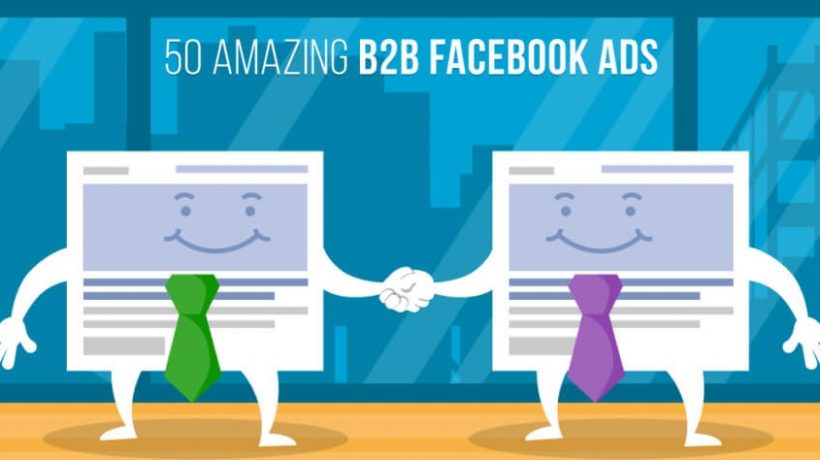
Facebook is the “prince” social network dedicated to online communication, thanks to chats, groups, posts, and streaming videos. We can talk to our friends every day, meet new people, and reach many potential customers.
Given the extremely “personal” dimension of social media, Facebook Ads are widely used for B2C. It is often not considered effective for B2B, preferring other services such as LinkedIn or Google Adwords PPC campaigns.
Why are Facebook Ads for b2b?
If I wanted to answer simply and immediately, based on my personal experience, the real difficulty in B2B marketing is reaching the target using social media. This is because even if we want our product to be purchased by an entrepreneur, it is very difficult to reach it directly in the first place. After all, every SME or large company has employees who deal with the search for goods and/or services to buy.
B2B Marketing: LinkedIn vs Facebook
Having 10k connections on LinkedIn, I can only speak well of it. Also, even without resorting to advertising services, I was able to find several customers thanks to this social network, but now I have to ask you a question.
Surely (like me), you will spend a lot more time on Facebook than on LinkedIn, and by answering this question, you will surely understand why it is important to invest in Facebook Ads in B2B.
The goals of a B2B campaign on Facebook
I know the goal of any web marketing campaign is to increase sales, but this does not mean using Facebook Ads only to sell a product, but also (for example), to increase its visibility.
Facebook Ads Goals Example:
- Increase visibility and recognition of a brand
- Increase visibility and recognition of a product
- Increase website traffic
- Increase subscribers to your newsletter
- Increase downloads of free or demo resources
- Increase information on your target
All these objectives contribute to our great final goal: “increase sales” and therefore profit. Here is the time to talk about my tips for creating a Facebook Ads campaign aimed at B2B.
1 – Establish the budget
Establish how much you can spend on your Facebook Ads campaign and don’t go to waste. Generally, B2B marketing can have higher costs due to competition and profits but still doesn’t invest the maximum amount right away. I recommend a minimum investment of between 10 and 20 euros per day for the first month, and then invest at least 30 euros per day.
2 – Duration of the campaign
The Facebook Ads campaign must not remain active 7 days a week (unlike Adwords). Indeed, from my personal experience, I recommend you create more types of campaigns and keep them active for a few days. At the moment, Facebook campaigns have a rapid growth in the first days and then begin a slow decline, which translates into higher costs and fewer conversions.
3 – The importance of images
Let’s talk about something simple but fundamental, namely creating professional graphics to promote your posts. Let’s say, for example, that our goal is to rent temporary offices. One thing is to use photos taken with a mobile phone. One thing is to call a professional photographer. Surely in the second case, the cost will be higher, but the campaign will be more effective. In the end, it will cost less and convert more.
4 – A clear and direct message
You are talking to a company, do not use too long sentences or turns of words, just write what you sell.
For example:
- Local Rental for Events in Rome
- Simultaneous translation for Meetings and Events
- SEO course for companies
5 – Offer free content
Many companies offer free content such as “guides” to encourage the user to register for a newsletter and provide his data to improve the effectiveness of future advertising campaigns.
Instead of offering software for companies (such as management software) or Mobile App, companies use Facebook to download the trial Demo. Releasing a free demo is a great way to get in touch with the company and present your product face to face. To promote my web marketing consultancies, I also always offer a free hour to all my clients.
As a proponent of web marketing, don’t underestimate the importance of having a good salesperson on your staff or using a professional’s experience to learn the main sales techniques.
6 – Respond to an immediate need
Some B2B campaigns are very effective because they respond to a pressing need of the company.
For example:
- Do you need a website?
- Are you looking for Management Software?
- Do you increase your sales?
This type of message, obvious and direct, relies on “need” and “finding a solution to a problem.” Although very effective, however, these types of ads are not easy to direct to the buyer person of reference using Facebook Ads, because contrary to what is accessed on Adwords, the ad does not respond to the user’s query on the search engine, are we who have to find it using Facebook Audience Insights.
7 – The feeling of urgency
This communication strategy is used a lot on sites like Groupon but is now appearing in various forms almost everywhere. Even in B2B, carrying out “timed” advertising campaigns can be an effective strategy, both to request a free trial and to sell a service.
8 – Set the target
Many Facebook campaigns are created by clicking directly on “promote the post,” but it is not considered the best and most professional way, even if it can be effective.
In B2B, even more than in B2C, it is important to select your target precisely because it is very difficult to identify.
These are my tips for Facebook Ads for b2b. I hope you have read them carefully and that they can increase your sales. Contrary to what one might think, Facebook Ads is not an easy tool to use, it requires an investment proportional to the scope of your business, but if correctly configured, it can bring significant gains.
You may also like to read, Why PHP is a good choice for web development
How to find an unknown number name?

Throughout the day, it is not uncommon to receive calls from unknown numbers. There are tools specifically designed to be able to find out who has called us from those numbers. Receiving calls from numbers that we do not know is quite common, and while before we played it by answering to find out who it was.
Today there are tools that allow us to know precisely who is calling us or at least have a clue of who it may be. It is not a foolproof method, but for a certain type of number, it is quite a useful tool. We also have different alternatives to know it, both from a mobile app and from different web pages that can help us to know who that number is calling from.
How to find an unknown number name?
As you can imagine, these tools are not 100% correct about who the person or company that has called us is. You have to be clear about something, and that is that we cannot know the origin of all the numbers. To do this, you have to understand how these types of programs and databases work with unknown phone numbers.
How does the database work?
These databases are normally generated with the information that mobile users themselves leave on the different websites and apps that make up these lists. For example, if an insurance company or mobile operator calls you tomorrow, you can go to these websites and apps to enter your opinion about that number and who it belongs to in your experience.
The more matches there are, the apps and websites of this type will filter the results until they find the majority owner of that number that users have been revealing. Therefore, what you will never find in these databases is the name of the person behind a mobile phone number. In these apps and sites, you will find mobiles from companies at most, but never from individuals.
Know who is behind the number that called you
Well, to know this, we have different ways. One of them is through an app, which we can download from the Google Play Store, and which allows us to see in real-time if a call is Spam or is from a number we can trust. In fact, even when the call is taking place, we can see at the bottom of the number which company it belongs to.
Within the app, we can also search by phone number and know which company it belongs to. If you have a modern version of Android, when you receive a potential spam call, it will appear indicated at the bottom of the number when you are receiving the call, so we will already be warned that something is wrong with that phone number.
Finally, we can access a website where we will be able to find who owns a specific phone number. We can do this by entering the Spam List page, or also the Who called me? In both cases, we can enter the phone number and find out which company it belongs to from the comments of users who have already received that call.
Therefore, they are excellent tools to know who is calling us, especially when it comes to companies or official bodies. Here the level of success is quite high and will allow us to know if we should pick up the phone or not at that number. The next time let’s get a call from you.
You may also like to read, How to change WhatsApp contact name with full customization
How to browse Facebook as a guest?

There can be many reasons why you want to log in to Facebook as a guest. For example, you may want to log into Facebook to check a profile of a person registered anonymously or you may also have unsubscribed from Facebook but need to look at a profile. Whatever your motivation, in this short article, I will explain how to access Facebook as a guest to see a profile as a guest, all in an anonymous way.
Browse Facebook as a guest
The Facebook service has always kept in mind the privacy problem and has constantly improved the rules for personal privacy by inviting users to pay particular attention to this issue. Until recently, any information published on Facebook became “public” and was visible to anyone. Things have changed and content for which no privacy restrictions have been made will now be made public. Accessing Facebook as a guest will allow you to see all the profile contents visible to all users without particular privacy restrictions.
Log into Facebook as a guest
As a guest (therefore, without your profile or in any case without logging in), you can perform certain searches (for example, to search for a person or a group).
If you want to see the profile of an incognito person (as a guest) because you think that person has blocked you, just enter the people search page, write in the text box the name (or part of the name) of the person to search for and then press the Search button. From the list of results, click on the name of the person you are looking for to open their profile.
If the person you are looking for is a celebrity and has created a Celebrity profile, you will need to enter this page and follow the procedure described above.
It’s the same thing for groups; if you want to access Facebook as a guest and see a particular group, you will have to enter this page and enter the group name in the text box, press Search and then select it in the results list.
Although the guide explicitly refers to using the computer, all the instructions below to surf Facebook without registering can be put into practice without any kind of problem, even from smartphones and tablets. In this case, however, it may be necessary to enable the desktop version from the web browser settings for the mobile device in use (e.g., on Chrome, just press the (…) button at the top right and check the Request desktop site option).
Method 1: How to browse Facebook as a guest
Suppose you want to know how to browse Facebook without registering to check if one of your friends is registered on the social network. All you have to do is connect to the main page of the site by starting the web browser that you generally use to surf the net from your computer, by typing facebook.com in the address bar and pressing the Enter key on the keyboard then you have to click on the item People located at the bottom of the screen, in small.
On the page that opens, if requested, type correctly the text displayed on the screen to pass the security check and click on Send and then you can choose whether to browse all the people registered on Facebook in alphabetical order – but, if you want some advice, it’s a real one and its own madness! – or whether to carry out a direct search using the appropriate bar located at the top right.
Then, you can click on one of the names in the search results and view the details of his profile, such as some of his personal information and the pages he “liked.” However, keep in mind that you will only be able to view public information and not posts or content that the user has decided to share only with their friends. To view more details, you will need to create your account on the social network and request friendship from the person in question.
If, on the other hand, you are interested in understanding what you need to do to browse Facebook without registering because you want to view the pages of a given product or company on the social network, the artists registered to it, the places, and maybe even the games, you must proceed in slightly different from what I have just indicated. To begin with, you have to go to the Facebook home, as seen above. Then, if you want to view the pages on the social network, click on the item Pages always placed at the bottom of the screen and you can browse all the pages by name or directly using the appropriate search field at the top. Since the fan pages are public, you can view all the content shared on them without any kind of problem.
By clicking instead on the Places and Games links (always present in the lower part of the Facebook home). You can view all the various locations that have been registered on the social network and consult any related content (clubs, events, initiatives, etc.) and view all the games available on Facebook, the level of users’ satisfaction, and read the relevant information. In both cases, you can either browse the contents, scrolling and clicking the results on the screen, or carry out a direct search, using the appropriate field at the top.
Method 2: How to browse Facebook as a guest
I’m sure it may seem like an emaciated banality but keep in mind that Google can also be a good ally to browse Facebook without registering. You ask me how? Well, simple: using the power of “big G” to quickly identify social profiles, pages, and various other contents on the number one social network globally, a bit like doing a common search on the net.
More precisely, browsing Facebook without registering thanks to Google, you just type in your favorite Web browser google address bar. Press the button Enter on your keyboard and enter into the search box located in the center of the screen displays the name of the person you intend to view any Facebook profile, that of the fan page that interests you, and so on by the word Facebook. Then, press the Enter key attached to your computer keyboard or the Google Search button visible on the screen.
Once this is done, you should see a whole series of relevant results to the search terms you previously typed and that should almost certainly link to content on Facebook. If you are particularly lucky, you should be able to find what you are looking for right away!
You may also like to read: How to change WhatsApp contact name with full customization
Why is Google Chrome so slow? 5 minute approach to fix if it’s running slow on your pc
If your chrome is running slow on your pc. Stay relaxed, as there are many people out there who are constantly facing the same problem. Here, you are going to get the hacks of only 5 min for fixing it, when your Google Chrome is running very slow. You don’t have to take the help of anyone, as you are going the get these tips with a guided illustration.
You just have to go through the processes for fixing it. If it’s get solved by the earlier process, That’s it, you are ready to go with your desired browser.
- Shut down all the unnecessary tabs
- Update your Chrome browser
- Remove/ Disable unnecessary Chrome Extensions
- Stop Chrome pop up/ Notifications
- Remove your old browser history/ data
- Scan for malware in your chrome and reset your settings
Shut Down all the unnecessary tabs
If you open too many tabs on your chrome browser, you are definitely going to face with lack in your chrome browser. You can check it by yourself by opening your task manager. Simply, pressing ctrl+ shift+ Esc at the same time on your keyboard you can see the space and memory it’s consuming on your task manager.
So, close all the unnecessary tabs if your chrome is running slow and if the problem resumes going for the next process.
Update your Chrome browser
Why not updating your Chrome browser to stay up to date with it! If your chrome browser is not up to date just go through the following process:
- Click the menu button in the upper right corner. Then select Help>About Google chrome
Here, you can see whether your chrome browser is up to date or not. If it is not, then wait for a while to update it by itself to the latest version.
Then, reopen it. Check whether this issue reappears. If it is not, then you have solved your annoying problem.
Remove/ Disable unnecessary Chrome Extensions
Too many extensions or apps consume lots of resources. So, the best approach to clean up google chrome when it is running slow is to remove or disable unnecessary chrome extensions.
- Go to the Menu>More Tools>Extensions. Here, all the extension files will open up.
- Turn off the toggle which is on the lower right corner of the chrome apps which is not necessary for you.
When you are done with disabling the chrome extensions or apps which are not required for you, you will notice extra speed and smoothness. If this approach still can’t meet up the issue then stay calm. There are other approaches as easy as this to follow.
How to Stop Chrome pop up/ Notifications
You can prevent receiving notifications from Google Chrome. You just have to go to the following process
Click on Menu> Settings> Privacy and security>Notifications>Block or allow notifications
Turn on or off-sites may ask your permission to send a notification.
Remove your old browser history/ data
Well, the problem has to be solved by now. But it is a very common and basic approach in case of using any electronic device to remove old browsing history. It helps to remove trash and junk files which gives enough room to your ram. For this, you just have to go to the following approach:
Click Menu > More tools > Clear browsing data.